


SonarQube is designed to automate code reviews and security analysis within CI/CD pipelines, with rules that detect bugs, code smells, and vulnerabilities. It’s widely used, no question. But organizations running it in modern pipelines keep running into the same issues.
Feedback cycles are slower than they’d like. Setup requires more engineering hours compared to other tools on the market. And the total cost scales with lines of code rather than team size, which makes it harder to predict and manage as projects expand.
In this overview, we cover SonarQube’s standard functions, explain where it fails to meet current workflow requirements, and list alternative solutions designed for faster, more cost-effective integration.
What SonarQube Does
SonarQube automates the tedious parts of code review by scanning for bugs, security risks, and maintenance issues across 35+ languages.
It plugs directly into your CI/CD pipeline and decorates pull requests with findings from its massive rule set. Teams get insights not just into what’s broken, but also how much of their code is tested, where duplication is creeping in, and which sections are too complex.
The open-source Community Edition makes these capabilities available to anyone without a budget.
Limitations of SonarQube in Modern CI/CD
While SonarQube remains widely used, it has several limitations that impact its effectiveness in modern development workflows:
- Slow feedback: Report generation creates bottlenecks in CI/CD.
- Heavy setup: Requires complex config and significant server resources.
- Alert fatigue: Excessive warnings with no AI prioritization or false positive filtering.
- Paywalled security: Advanced features like taint analysis are locked behind paid editions.
- Weak AI: AI CodeFix lags behind dedicated AI tools.
- Poor UX: Outdated interface and steep learning curve.
- Expensive at scale: Licensing costs scale with lines of code.
- Basic PR feedback: Static comments lack context or risk prioritization.
Top Modern Alternatives to SonarQube
Teams outgrow SonarQube due to slow scans, poor integrations, or rising costs.
The alternatives below solve these differently. Some unify security checks. Others auto-fix issues. Several fit better into dev workflows. The right choice depends on team size, languages, and desired automation.
Aikido
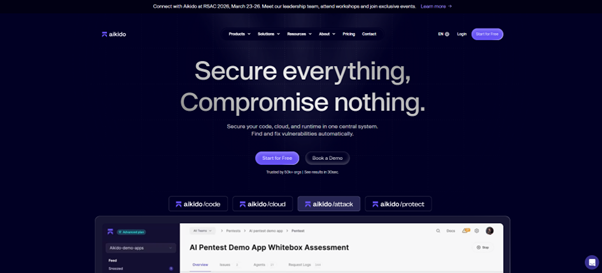
Aikido replaces SonarQube for teams that want security scanning built into their CI/CD pipeline. It works with standard Git tools and CI platforms to detect vulnerabilities early.
By combining several security scans into one system, it cuts down on false positives and gives developers clear feedback where they’re already working. Issues get resolved faster, and the development process keeps moving.
Key features:
- One platform for everything: Runs SAST, SCA, secrets detection, and IaC scanning together.
- Works with your existing tools: Connects to GitHub, GitLab, Bitbucket, CircleCI, and other CI/CD platforms. Scans every build and pull request automatically.
- Fewer false positives: Filters out noise so teams only see security risks that actually matter.
- Shows problems right in the code: Comments directly on the relevant lines inside pull requests. Developers fix issues without leaving GitHub or GitLab.
- Set your own security rules: Block merges based on severity or vulnerability type. Custom policies give teams control.
- Catches supply chain risks: Scans dependencies for malware and finds hardcoded credentials before they cause problems.
JetBrains Qodana
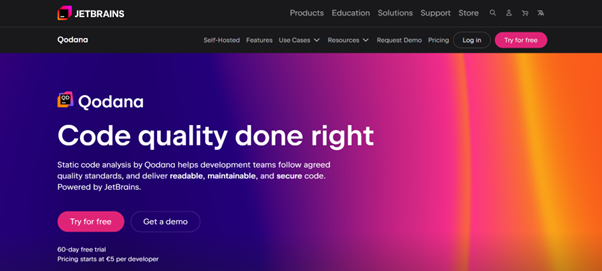
JetBrains Qodana brings the smart code inspections you already know from IntelliJ IDEA, PyCharm, and other JetBrains IDEs straight into your CI/CD pipeline. It gives your whole team a consistent, familiar approach to keeping code clean and secure — using exactly the same powerful checks developers run locally every day.
With quality gates and clear centralized reports, Qodana makes it much easier to stop technical debt and security problems before they ever hit the main branch.
Key features:
- Native JetBrains Integration: Leverages the same battle-tested inspections from IntelliJ IDEA, WebStorm, PyCharm, and other JetBrains IDEs.
- Broad Language Support: Offers native, high-quality inspection for over 60 languages and frameworks.
- CI/CD Quality Gates: Enforces code coverage thresholds and inspection profiles to block non-compliant code from being merged.
- Centralized Insights Dashboard: Aggregates findings across all projects, enabling teams to track and prioritize technical debt.
- Cost-Effective Scalability: Provides a scalable solution for teams of all sizes, with pricing starting at a competitive rate per active contributor.
DeepSource
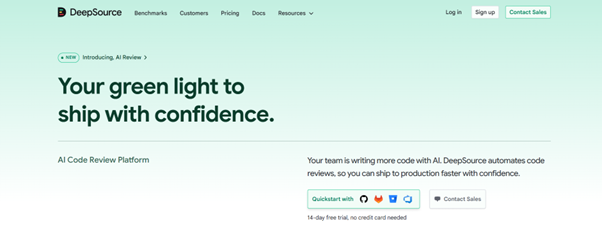
DeepSource works differently from typical CI/CD security tools. Instead of just finding bugs and style violations, it fixes them automatically. The analysis engine runs in the IDE during development and again in the build pipeline.
The autofix handles everything from formatting cleanup to unused variables to performance-related problems. Developers end up spending way less time on manual fixes, which means better quality and security without adding friction to the workflow.
Key features:
- Auto-Fixing Engine: Automatically resolves formatting errors and performance issues, saving developers manual effort.
- Virtually Noise-Free: Ultra-high precision ensures developers trust the alerts and ignore the noise.
- Polyglot Architecture: Deep, accurate analysis for 16+ languages.
- IDE and CI/CD Integration: Real-time fixes in the IDE with automated quality gates in CI/CD.
- Enterprise-Ready: Deploys via cloud or on-premise to match your security needs.
Checkmarx One
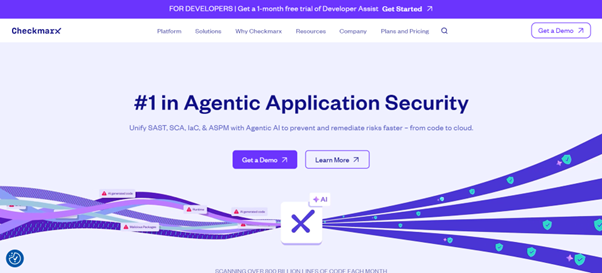
Checkmarx One brings together various application security testing tools into a single platform. Built for teams handling complex development pipelines, the platform runs thorough scans across code, dependencies, and cloud configurations.
It prioritizes delivering accurate results quickly and offers clear steps for fixing vulnerabilities, allowing businesses to maintain security without stalling their release cycles.
Key features:
- Unified Platform: SAST, DAST, SCA, IaC, and secrets detection in a single tool.
- Fast, Accurate Scans: Lower false positives through advanced data-flow and incremental analysis.
- Developer Assistance: Fix guidance directly in IDEs and pull requests.
- Quick Setup: Implementation in minutes.
- Enterprise Scalability: Licensing and infrastructure built for large portfolios.
Conclusion
SonarQube provides basic code quality and security scanning functionality. However, its design creates friction for teams operating at modern development speeds.
The alternatives covered in this article address these problems through different approaches. Some combine multiple scan types in one platform. Some automate code fixes. Some integrate more directly with developer tools.
Organizations should evaluate these options based on their team size, primary programming languages, and preferred level of workflow automation.
