

In recent years, HP has consistently delivered a wide range of laptops suitable for everything from casual browsing to high-end business and creative tasks. One category that continues to surge in popularity is the touchscreen laptop. Combining the traditional keyboard-and-mouse interface with touch compatibility, HP touchscreen laptops aim to bring the best of both worlds into a single, versatile computing device. But do they really live up to the hype? In this in-depth review, we explore the strengths and weaknesses of HP touchscreen laptops to help you make an informed decision.
TL;DR
If you’re looking for a laptop that offers both performance and flexibility, an HP touchscreen laptop could be a strong choice. The devices are generally well-built, responsive, and include a wide range of features for work and play. However, they come with drawbacks such as shorter battery life and higher cost compared to non-touchscreen models. Not every HP touchscreen is ideal for heavy users, so it’s important to match the model to your specific needs.
Pros of HP Touchscreen Laptops
1. Enhanced User Interaction
One of the most prominent advantages of HP touchscreen laptops is the smooth and intuitive interaction they offer. Whether you’re zooming in on a web page, sketching ideas, or playing touch-based apps, the touchscreen turns the laptop into a hands-on experience. This is particularly beneficial for students, designers, and professionals who appreciate direct content manipulation rather than relying solely on input devices.
2. Versatile 2-in-1 Functionality
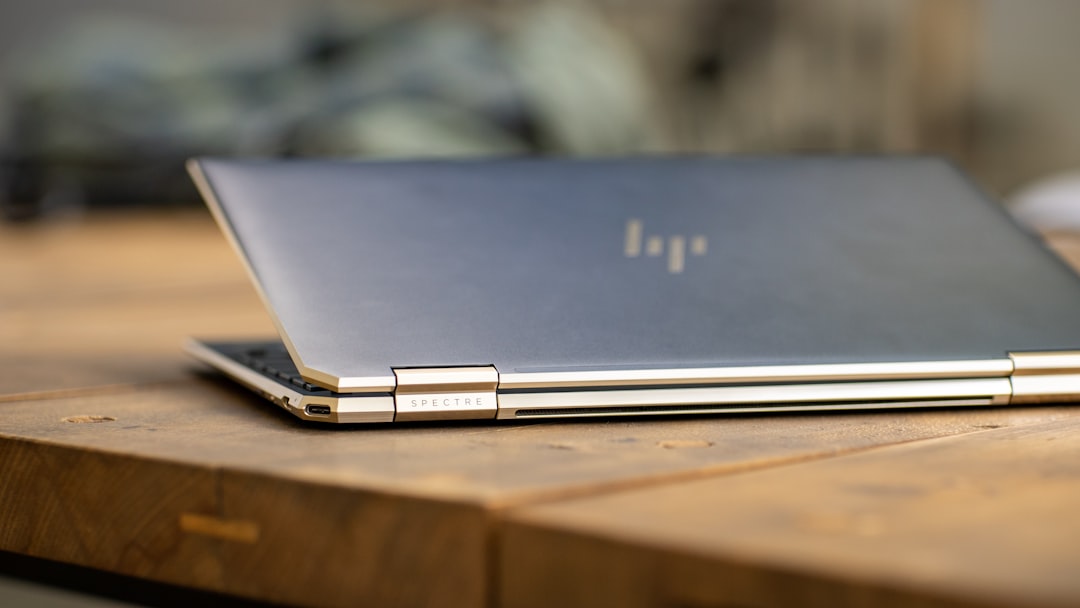
Many HP touchscreen laptops come in convertible or 2-in-1 formats. Models like the HP Spectre x360 or the HP Envy x360 let you flip the screen around to use the laptop in tablet, tent, or stand modes. This versatility makes them perfect for a range of environments, including classrooms, boardrooms, and even airplanes.
3. Stylish and Premium Build
HP has made significant strides in design aesthetics over the past decade. Touchscreen laptops from HP typically feature sleek, aluminum chassis, edge-to-edge glass displays, and backlit keyboards. These modern, polished designs make them not only functional but also attractive, often rivaling the look and feel of premium competitors like Apple and Dell.
4. Wide Range of Choices
Whether you’re a budget-conscious shopper or a power user, HP offers a touchscreen laptop to suit nearly every need. From entry-level Pavilion models to premium Spectre and EliteBook series, there are options across various price points. This variety makes it easier for consumers to find an HP touchscreen laptop that fits their requirements without overpaying for unnecessary features.
5. Excellent Display Quality
HP touchscreen laptops often come with vibrant Full HD or even 4K displays, offering rich colors, high brightness levels, and decent accuracy. Models like the HP Spectre x360 are calibrated for content creation work, boasting sharp details and life-like visuals that make photo editing, media consumption, and digital drawing more enjoyable.
6. Seamless Windows Integration
HP touchscreen laptops run on Windows 11, an operating system that has been optimized for touch input. Features like virtual desktops, a redesigned Start menu, and gesture controls enhance both productivity and ease of use. The touch interface integrates seamlessly with the OS, making transitions between tablet and laptop modes feel natural and fluid.
Cons of HP Touchscreen Laptops
1. Higher Cost
One significant drawback of opting for a touchscreen laptop is the increased cost. The integration of a high-quality touch panel, stronger hinges for 2-in-1 functionality, and often upgraded materials, leads to a higher price tag. When comparing similarly specced non-touch and touch-enabled HP laptops, the touch variant is usually more expensive by several hundred dollars.
2. Reduced Battery Life
Touchscreen displays consume more power than traditional screens. The digitizer layer that detects touch adds to power draw, which can impact battery longevity. Many users report that HP touchscreen laptops offer 10–20% lower battery life compared to their non-touch counterparts. For heavy travelers or students who require all-day performance, this could be a notable disadvantage.
3. Reflections and Fingerprints
Touchscreens are almost always glossy, which enhances color vibrancy but also makes them more prone to reflections and glare. Additionally, constant tapping and swiping could result in smudges and fingerprints, requiring regular cleaning. For those working in bright environments or outdoors, this can be a distracting and inconvenient limitation.
4. Heavier and Bulkier
The additional hardware required for touch capabilities and a 360-degree hinge usually translates into a slight increase in weight and thickness. While HP tries to minimize this through innovations in design and materials, these devices tend to be heavier than standard laptops. This could be a consideration for users who prioritize portability above all else.
5. Not Ideal for Power Users
Though HP’s Spectre and Envy lines are relatively high-performing, they are not always the best fit for demanding workloads like 4K video editing, high-end gaming, or 3D rendering. The thermal constraints and slim chassis of touchscreen devices limit how much cooling and performance hardware can be packed in, making traditional high-performance laptops a better alternative for intensive tasks.
Best Use Cases for HP Touchscreen Laptops
- Students: Lightweight, versatile with stylus support for taking notes and sketching diagrams.
- Creative Professionals: Designers, illustrators, and photographers benefit from the precision and clarity of the touchscreen.
- Business Users: Ideal for presentations, video conferencing, and multitasking in multiple modes.
- Media Consumption: Watching movies and browsing becomes more immersive thanks to vivid displays and flexible form factors.
Recommended Models
Here are a few recommended HP touchscreen laptop models, categorized by use case:
- HP Spectre x360 14: Best overall with high-end performance and premium build for professionals.
- HP Envy x360: Great for mid-range users looking for balance between price and feature-set.
- HP Pavilion x360: Budget-friendly model for students and casual users.
- HP Elite Dragonfly: High-end business use with excellent portability and security features.
Conclusion: Is an HP Touchscreen Laptop Worth It?
HP touchscreen laptops offer a compelling blend of style, functionality, and performance. With their flexible designs, high-quality displays, and range of configurations, these devices are well-suited for a variety of users. However, they come with trade-offs such as higher pricing, slightly reduced battery life, and an additional learning curve for some tasks.
Whether or not an HP touchscreen laptop is right for you depends entirely on your specific needs. If you are looking for a machine that blends the utility of a tablet and the capability of a laptop, and you’re willing to pay a little more for that experience, then an HP touchscreen laptop is absolutely worth considering. Just be sure to assess your performance expectations and prioritize battery life if you’re always on the move.
