

Musicians today are looking for smarter, sleeker tools to help them practice, perform, and stay organized. One of the coolest new gadgets for musicians is the Boox Tab XC. It’s not just another tablet — it has an E-Ink screen, and it’s a total game-changer for how we view and use digital sheet music.
TL;DR: The Boox Tab XC is a large E-Ink tablet that’s super friendly for musicians. It displays sheet music like real paper — no glare, no eye strain. You can annotate, organize, and even turn pages hands-free. It’s a techy yet elegant tool that fits right into your music stand.
What is the Boox Tab XC?
The Boox Tab XC is a 13.3-inch E-Ink tablet from Onyx. This is not your average tablet. It uses special screen tech to mimic the look of paper. So when you stare at it for hours, like during a concert or rehearsal, your eyes won’t scream in pain.
It runs on Android, has access to apps, and comes with a stylus. You can read, write, annotate, and more. But what’s really exciting is how perfect it is for musicians who work with sheet music.
Why Musicians Should Care
Traditional paper sheet music? Bulky. Fragile. Easy to lose or rip. Digital sheet music on a typical tablet? Bright, reflective, overly shiny screens. Ew.
The Boox Tab XC sits in the sweet spot between both worlds.
- Big screen: At 13.3 inches, it fits a full page of sheet music — legibly!
- No glare: The E-Ink screen is easy on the eyes, even under bright stage lights.
- Battery for days: Literally, it can last weeks on a single charge.
- Stylus fun: Write notes, circle parts, or scribble reminders — just like on paper.
This means musicians can carry an entire library in a device thinner than a practice book — and use it without worrying about losing pages in the wind!
The Magic of E-Ink for Sheet Music
Unlike bright glare-heavy LCD screens, the Boox Tab XC uses E-Ink. Think of it like digital paper. It only uses power when changing a page. No backlight needed most of the time (though it does have one).
That means it’s easy on your eyes, and there’s no annoying reflection when playing outside or under bright lights.
Here’s where E-Ink really shines for musicians:
- Long rehearsals won’t tire your eyes.
- No fingerprint smudges messing with your visuals.
- Pages look like real sheet music, not like a screen.
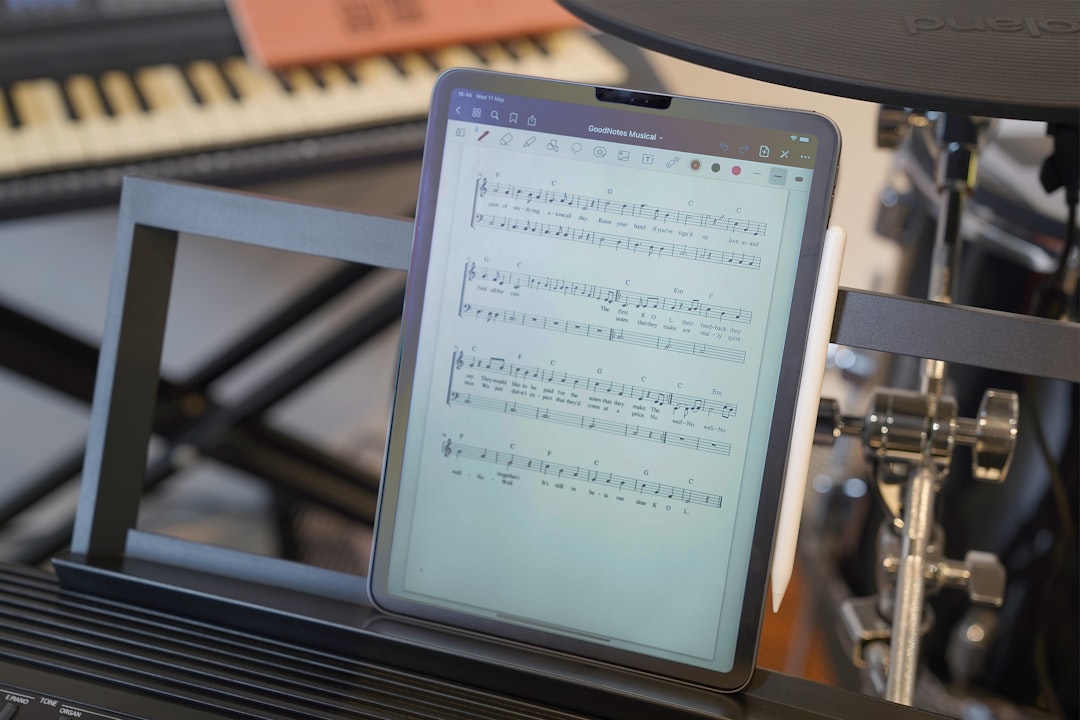
Turn Pages with a Tap (or a Foot)
Tired of flipping pages mid-performance? The Boox Tab XC makes it easy to:
- Tap to move forward or backward.
- Use Bluetooth foot pedals to turn pages hands-free.
- Customize gestures and hotkeys for fast action.
This alone is pure gold during performances. Your hands are on your instrument — not fumbling to turn a page.
Perfect Apps for Musicians
Because the Boox runs Android, you can download apps directly from the Google Play Store. Here are some fan favorites for musicians:
- MobileSheets: A powerful sheet music app with annotations, setlists, and organization features.
- SongSheet Pro: For chords, lyrics, and capo tracking (great for guitarists).
- Musescore & IMSLP: Access thousands of public domain scores and user-created works.
The stylus that comes with it lets you mark up scores like a real pencil. Erase and redo with no mess. Layers and folders make organizing large libraries of music a breeze too.
Musicians Who’ll Love It
Let’s face it — nearly every musician can benefit from this tech. But some will fall in love instantly:
- Piano Players: View two full pages side by side with split-screen mode.
- Violinists & Cellists: No more fumbling mid-piece. Page turns are seamless.
- Orchestral Performers: Fast access to libraries. Annotate instantly during rehearsals.
- Choir Singers: Keep lyrics, markers, and note placements crisp and clean.
It’s also perfect for teachers who juggle between pieces, assign parts, or explain concepts during lessons.
Real-Life Use: A Day with the Boox Tab XC
Let’s take a look at what using the Boox Tab XC might look like throughout a typical day of a musician:
- Morning practice: Open your warm-up sheet. Annotate fingerings. No printouts needed.
- Rehearsal: Use a foot pedal to turn pages quietly. Notes your conductor gives you? Just write them on the score.
- Lunch: Read a music theory eBook or listen to audio files synced with your scores.
- Evening performance: One device, one stand, all your setlist saved and ready.
Pros and Cons
As with every device, there are some highs and lows. Here’s a simple breakdown:
| Pros | Cons |
|---|---|
|
|
Is It Worth It?
The Boox Tab XC isn’t cheap. But if you’re serious about music, it’s a long-term investment worth considering.
The build is sleek. The display is magical. And the features it offers really pull their weight.
For professionals, music students, or even hobbyists tired of juggling printed music — the Boox Tab XC feels like a step into the future.
Final Thoughts
The Boox Tab XC brings the best of both worlds to musicians — digital convenience with a familiar, paper-like feel. It simplifies your setup, helps declutter your space, and lets you perform better without worrying about page turns or smudges.
If you’ve ever struggled balancing your music sheets in wind, low light, or tight spaces, this might just be your next favorite tool.
Your eyes and your back (hello, lightening your backpack!) will thank you.
