

QR codes often sit at the intersection of offline engagement and digital measurement. They appear on posters, packaging, receipts, business cards, menus, event signage, direct mail, and in-store displays, but without proper tracking they can become a blind spot in your reporting. Google Analytics 4 can help you understand how many people scanned a QR code, where they came from, what they did after arriving, and whether those visits contributed to meaningful business outcomes.
TLDR: To track QR code performance in Google Analytics 4, create QR code destination URLs that include properly structured UTM parameters. Use consistent campaign naming, generate a separate tracked URL for each QR placement, and review the results in GA4 under traffic acquisition, landing pages, events, and conversions. For more serious reporting, compare QR traffic by campaign, medium, location, creative, and conversion performance.
Why QR Code Tracking Matters
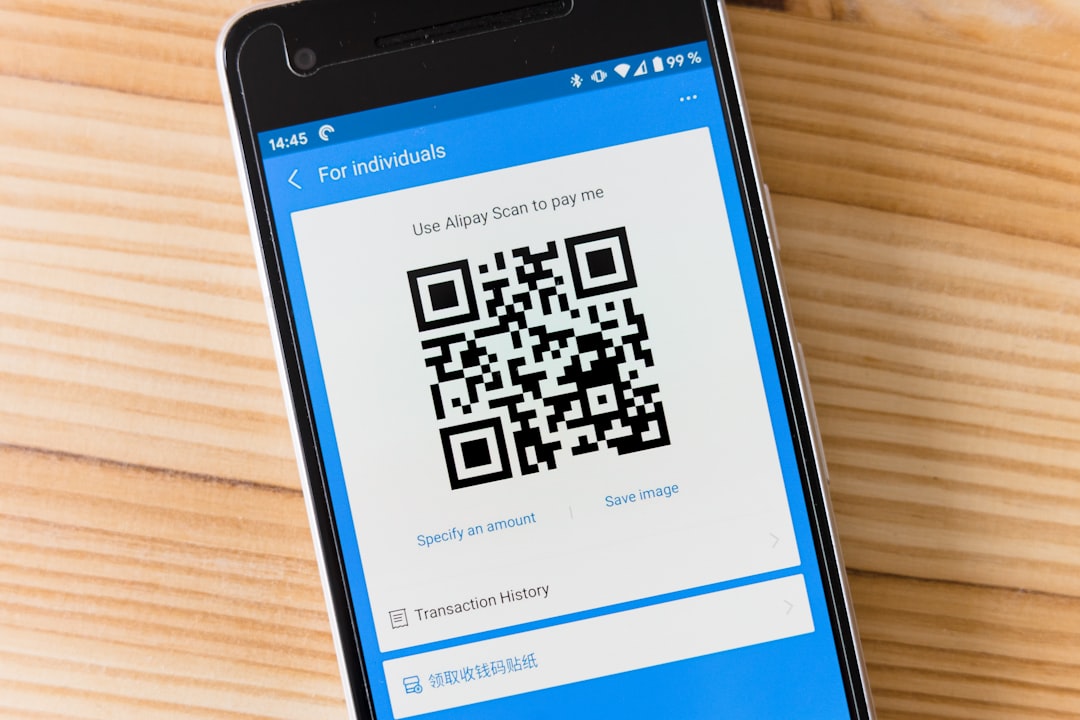
A QR code is not inherently measurable. It is simply a visual shortcut that sends a user to a URL. The tracking value comes from the destination link behind the code. If that URL is plain and untagged, Google Analytics 4 may still record the visit, but it will often appear as direct traffic or be grouped in a way that provides little context.
For example, if you place the same QR code on a flyer, product label, and trade show banner, GA4 may show that people visited the landing page, but it will not automatically know which scan came from which physical placement. This is why campaign tagging is essential. It gives GA4 the information needed to classify, compare, and evaluate QR code traffic correctly.

The Core Principle: Track the URL, Not the QR Code
Google Analytics 4 does not scan or read the QR code itself. Instead, GA4 tracks what happens after a person scans the code and lands on your website or app. Therefore, your main task is to create a destination URL that clearly identifies the QR code campaign.
This is usually done with UTM parameters. UTM parameters are small pieces of text added to the end of a URL. They tell analytics platforms where a visit came from and what campaign it belongs to.
A basic tracked QR code URL may look like this:
https://www.example.com/spring-offer?utm_source=flyer&utm_medium=qr_code&utm_campaign=spring_sale
When someone scans the QR code and visits that URL, GA4 can read the parameters and attribute the session to the source, medium, and campaign you defined.
Recommended UTM Parameters for QR Codes
For dependable reporting, use a consistent UTM structure. The most common parameters are:
- utm_source: Identifies the specific source of the scan, such as poster, menu, packaging, direct_mail, or trade_show_booth.
- utm_medium: Describes the broader channel. For QR codes, use something consistent such as qr_code or offline_qr.
- utm_campaign: Identifies the marketing campaign, such as summer_launch, loyalty_signup, or event_registration.
- utm_content: Differentiates versions, placements, or creative variations, such as front_counter, window_poster, or blue_design.
- utm_term: Usually used for paid search keywords, but it can be repurposed cautiously for extra segmentation if your organization has a clear naming policy.
A strong QR tracking URL might look like this:
https://www.example.com/register?utm_source=conference_banner&utm_medium=qr_code&utm_campaign=2026_product_demo&utm_content=main_entrance
The important point is not the exact wording, but the consistency. If one team uses qr, another uses QRcode, and another uses qr_code, your GA4 reports will become fragmented. Choose a naming convention and document it.
Set Up GA4 Before Launching QR Campaigns
Before you print or distribute a QR code, make sure your GA4 property is collecting data correctly. This includes confirming that the Google tag or Google Tag Manager container is installed on the destination page and that the property is receiving real-time traffic.
To verify your setup:
- Open your website in a browser and visit the destination page.
- Go to Google Analytics 4.
- Open Reports, then Realtime.
- Confirm that your visit appears.
- If you are testing a UTM-tagged QR URL, check whether the campaign information appears in real-time or debug reporting.
You should also define key events and conversions before the campaign begins. A scan alone is rarely the final goal. More meaningful actions may include newsletter signups, purchases, form submissions, account registrations, coupon downloads, phone clicks, video views, or appointment bookings.
Create a Separate QR Code for Each Important Placement
One common mistake is using the same QR code everywhere. While this is simple, it severely limits analysis. If you place one QR code across ten different offline materials, GA4 can report total traffic from that QR code URL, but it cannot show which placement performed best.
For more accurate measurement, create unique URLs and QR codes for significant placements. For example:
- Restaurant table menu:
utm_source=table_menu - Front window poster:
utm_source=window_poster - Receipt insert:
utm_source=receipt_insert - Local event booth:
utm_source=event_booth
This practice allows you to compare not only scan volume, but also engagement and conversion rates. A QR code on packaging may generate fewer visits than a poster, but those visitors may be more likely to register a product, leave a review, or make a repeat purchase.
Where to See QR Code Traffic in GA4
After your QR campaign is live, GA4 will collect data as users scan the codes and visit the tagged URLs. The most useful reports are usually found in several areas.
Traffic Acquisition Report
Go to Reports > Acquisition > Traffic acquisition. This report shows sessions by traffic dimensions such as session source, session medium, and session campaign. To find QR traffic, look for the medium you selected, such as qr_code.
You can change the primary dimension to Session source / medium or Session campaign to evaluate performance in more detail. If your UTM structure is clean, this report gives you a practical overview of how QR campaigns compare with other channels.
Landing Page Report
Go to Reports > Engagement > Landing page. This helps you understand which pages users entered after scanning a QR code. Add a comparison or secondary dimension for campaign, source, or medium to isolate QR traffic.
This report is especially helpful when multiple QR codes send users to different pages, such as product instructions, location-specific offers, registration pages, or support resources.
Events and Key Events
GA4 is event-based, which means user interactions are tracked as events. To evaluate QR performance seriously, review what visitors do after they land on the site.
Important events might include:
- form_submit for lead generation forms
- purchase for ecommerce transactions
- sign_up for account creation
- click_to_call for phone inquiries
- file_download for brochures, coupons, or manuals
- generate_lead for qualified lead actions
Mark the most important events as key events in GA4. This lets you evaluate QR code campaigns based on outcomes, not just visits.
Use Explorations for Deeper QR Code Analysis
Standard reports are useful, but Explorations in GA4 provide more flexible analysis. You can create a free-form exploration that includes dimensions such as session campaign, session source, session medium, landing page, device category, city, and event name.
Useful metrics to include are:
- Sessions
- Users
- Engaged sessions
- Engagement rate
- Key events
- Total revenue
- Average engagement time
You can then filter the exploration where Session medium exactly matches qr_code. This creates a focused view of QR traffic. From there, you can compare campaigns, placements, and landing pages more precisely than in the default reports.
Measure Quality, Not Only Scan Volume
A high number of scans can look impressive, but it does not necessarily indicate success. A QR code may attract curiosity clicks without generating valuable engagement. Serious analysis should include both volume and quality metrics.
Consider reviewing:
- Engagement rate: Are visitors staying and interacting?
- Average engagement time: Are users spending enough time to consume the page?
- Key event rate: Are scans leading to meaningful actions?
- Revenue: Are QR visitors purchasing or contributing to sales?
- Device category: Are most scans from mobile devices, as expected?
- Geography: Do scan locations match campaign distribution?
A QR code that produces 300 visits and 30 conversions is usually more valuable than one that produces 2,000 visits and only five conversions. The right success metric depends on the purpose of the campaign.
Use Short URLs and Redirects Carefully
Many businesses use short URLs behind QR codes to make them easier to manage. This can be a good approach, especially when printed materials cannot be changed after distribution. However, the redirect must preserve UTM parameters and send users to the correct tagged URL.
If you use a redirect, test the full path before launch:
- Scan the QR code with a mobile device.
- Confirm the final landing page loads correctly.
- Check that UTM parameters remain visible or are properly passed to GA4.
- Verify the visit appears in GA4 Realtime.
- Test on more than one device and browser.
A broken redirect, stripped UTM parameter, or slow-loading page can undermine the entire campaign. This is particularly important for printed QR codes, where mistakes can be expensive to correct.
Build a QR Code Naming Convention
A naming convention is not administrative overhead; it is a measurement safeguard. Without one, your reports can become inconsistent and unreliable. Establish clear rules before campaigns scale.
A practical convention might include:
- Use lowercase letters for all UTM values.
- Use one standard medium, such as qr_code.
- Use descriptive campaign names tied to business initiatives.
- Use source for the physical placement or object.
- Use content for creative version, location, or test variation.
- Avoid spaces and special characters in UTM values.
For example, a retail campaign could use:
utm_source=in_store_poster&utm_medium=qr_code&utm_campaign=winter_clearance&utm_content=checkout_area
Document these rules in a shared spreadsheet or campaign tracking template. Include the final URL, QR code file name, placement, launch date, owner, and intended conversion action.
Common Mistakes to Avoid
Several recurring issues can reduce the reliability of QR code reporting in GA4:
- Using untagged URLs: This often causes QR traffic to appear as direct or unattributed traffic.
- Reusing one QR code for every placement: This prevents meaningful performance comparison.
- Changing UTM naming mid-campaign: This fragments reporting and complicates analysis.
- Sending traffic to a poor landing page: Measurement cannot compensate for a weak user experience.
- Failing to define key events: Without conversion tracking, you only measure visits, not results.
- Not testing before printing: QR code errors on physical materials can be costly and visible.
Best Practices for Reliable QR Code Reporting
To make QR code performance data trustworthy, treat tracking as part of campaign planning rather than an afterthought. Every QR code should have a clear purpose, a properly tagged URL, and a defined success metric.
Use these best practices:
- Start with the business objective. Decide whether the QR code is meant to drive sales, leads, registrations, downloads, reviews, or support visits.
- Create unique UTM-tagged URLs. Differentiate major placements and creative variations.
- Test scans before launch. Confirm page loading, tracking, and mobile usability.
- Monitor early data. Check GA4 soon after launch to catch problems quickly.
- Evaluate downstream actions. Focus on events, key events, and revenue rather than scans alone.
- Maintain documentation. Keep a record of every URL, placement, and campaign name.
Conclusion
Tracking QR code performance in Google Analytics 4 is straightforward when the campaign is set up correctly. The essential step is to use UTM-tagged destination URLs so GA4 can identify the source, medium, campaign, and placement of each scan. From there, you can analyze traffic acquisition, landing page performance, engagement, key events, and revenue.
For serious reporting, do not treat all QR scans as equal. Separate your placements, standardize your naming, test every code, and measure the actions that matter to your organization. When implemented carefully, QR code tracking in GA4 turns offline marketing activity into accountable, comparable, and actionable performance data.
