

QR codes are everywhere—on restaurant tables, product packaging, business cards, event banners, and even resumes. Their ability to instantly connect the physical and digital worlds makes them one of the most practical marketing and sharing tools available today. The best part? You don’t need expensive software or technical skills to create one.
TLDR: There are many free QR code generators that let you quickly create codes for websites, Wi-Fi access, contact details, social media, and more. Most tools require no sign-up and offer downloadable formats like PNG or SVG. Some even include customization options such as colors and logos. Below, you’ll find 10 of the best free QR code generators you can start using right away—plus a comparison chart to help you choose.
Whether you’re a small business owner, marketer, teacher, or just someone looking to share information efficiently, this guide will help you find the right tool.
Why Use a Free QR Code Generator?
Free QR code generators are ideal because they:
- Save time – Create a functioning code in seconds.
- Require no technical experience – Simple interfaces make them accessible to anyone.
- Work across devices – Most smartphones scan QR codes instantly.
- Support multiple data types – URLs, text, email, phone numbers, Wi-Fi credentials, and more.
Depending on your needs, you might prioritize customization, file formats, or dynamic QR code features. Let’s explore your best options.
1. The QR Code Generator (the-qrcode-generator.com)
This popular tool offers a clean interface and a solid range of features. You can create codes for URLs, vCards, Wi-Fi, email, SMS, and even social media links.
Best for: Users who want light customization.
Highlights:
- Color customization
- Logo insertion
- High-resolution downloads
- Optional paid dynamic upgrades
The free version works well for static QR codes that don’t require editing after creation.
2. QR Code Generator by QRCode Monkey
QRCode Monkey is one of the most visually customizable free options available.
Best for: Branding-heavy designs.
Highlights:
- Custom colors and gradients
- Logo integration
- High-resolution SVG and PDF exports
- No sign-up required
If aesthetics matter, this is one of the strongest free platforms out there.
3. GoQR.me
GoQR.me offers a fast and straightforward QR code creation process. The preview updates in real time as you type.
Best for: Quick and simple code creation.
Highlights:
- Instant preview
- Supports text, URL, phone, SMS, vCard
- Free PNG downloads
While customization is limited, it’s excellent for practical, no-frills needs.
4. QRStuff.com
QRStuff has been around for years and supports a wide variety of data types.
Best for: Specialized QR data types.
Highlights:
- Over 20 data formats
- Color customization
- Downloadable high-resolution files
The free version covers static QR codes; dynamic options are available in paid plans.
5. The ZXing Project QR Generator
ZXing (pronounced “zebra crossing”) offers a very basic generator with almost no design features.
Best for: Developers and minimalists.
Highlights:
- Extremely lightweight
- Custom size controls
- No ads or unnecessary extras
If you just need a working QR code quickly, this does the job effectively.
6. Canva QR Code Generator
Canva offers a built-in QR code generator within its design platform.
Best for: Marketing materials and visual projects.
Highlights:
- Seamless integration into designs
- Drag-and-drop layout tools
- Free usage inside projects
This is ideal for posters, flyers, menus, brochures, and social graphics.

7. QR.io (Free Plan)
QR.io offers a free limited plan that includes dynamic QR code functionality.
Best for: Editable links after publishing.
Highlights:
- Editable dynamic QR codes
- Basic analytics tracking
- Customizable designs
Dynamic features may have usage limits on the free tier.
8. Unitag QR Code Generator
Unitag provides a design-focused approach with visual customization tools.
Best for: Attractive, color-rich codes.
Highlights:
- Color and shape customization
- Logo insertion
- Various downloadable formats
The free version includes branding but remains usable for small projects.
9. Delivr QR Code Generator
Delivr focuses on marketing and analytics-enabled QR solutions.
Best for: Campaign tracking.
Highlights:
- Dynamic QR options
- Basic tracking data
- Clean dashboard interface
Some premium features require upgrading, but simple QR creation is free.
10. Google Chrome QR Code Generator
Google Chrome includes a built-in QR code creator for any webpage.
Best for: Instant website sharing.
Highlights:
- Built directly into the browser
- No third-party website required
- Instant download
Simply right-click a page and select Create QR Code for This Page. It doesn’t support customization, but it’s extremely convenient.
Comparison Chart
| Tool | Customization | Dynamic QR Codes | File Formats | No Sign-Up Required | Best For |
|---|---|---|---|---|---|
| QRCode Monkey | High | No | PNG, SVG, PDF | Yes | Branded designs |
| GoQR.me | Low | No | PNG | Yes | Quick simple codes |
| QRStuff | Medium | Limited | PNG | Yes | Special data types |
| Canva | Medium | No | Integrated in designs | Yes | Marketing materials |
| QR.io | Medium | Yes | PNG, SVG | No | Editable links |
| Unitag | High | Limited | PNG, SVG | Yes | Stylish codes |
| Delivr | Medium | Yes | PNG | No | Analytics tracking |
| Chrome Generator | None | No | PNG | Yes | Instant page sharing |
Static vs. Dynamic QR Codes
Before choosing a generator, it’s important to understand the difference between static and dynamic QR codes.
- Static QR Codes: The destination cannot be changed once created. They are usually free and permanent.
- Dynamic QR Codes: The destination URL can be edited after printing. They often include analytics and may require an account.
If you’re printing hundreds of flyers or packaging materials, dynamic codes can save you from costly mistakes.
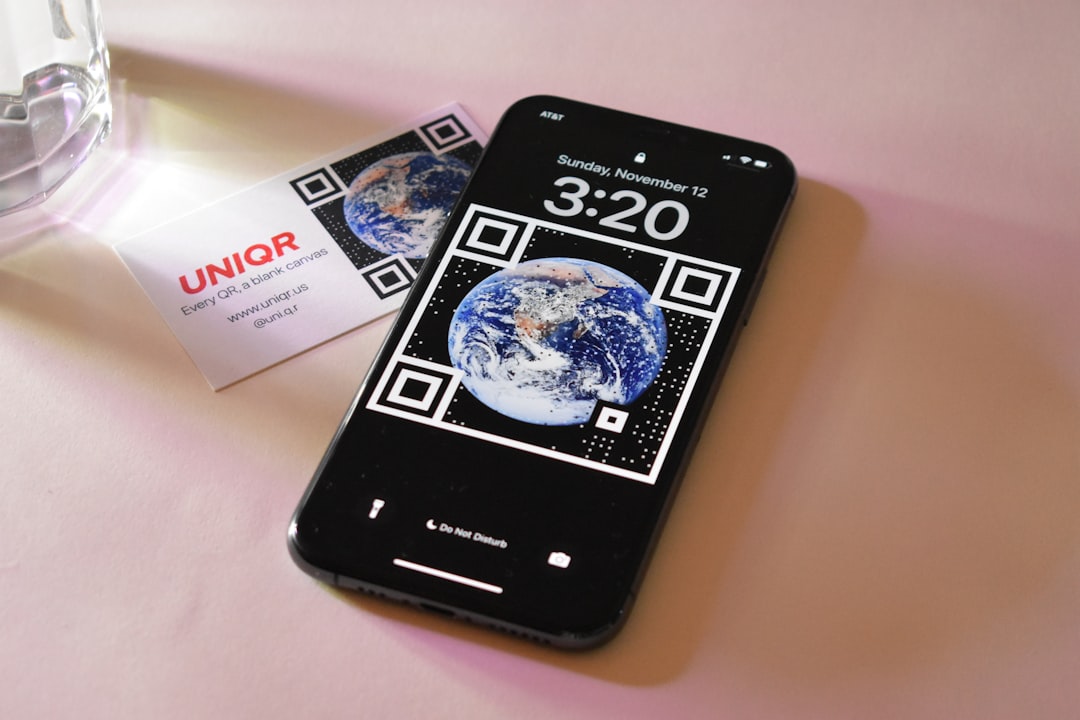
Tips for Creating Effective QR Codes
Even with the best generator, effectiveness depends on how you use your QR code.
1. Maintain Proper Size
A QR code should be at least 2 x 2 cm (0.8 x 0.8 inches) for reliable scanning.
2. Ensure High Contrast
Dark foreground on a light background works best. Avoid low-contrast color combinations.
3. Test Before Publishing
Always scan the code with multiple devices before printing or distributing it.
4. Add a Call to Action
Don’t just place the QR code—guide users with text like “Scan to Get 20% Off” or “Scan for Menu”.
5. Consider Error Correction Levels
Higher error correction allows the code to remain scannable even if partially damaged—helpful for outdoor or physical placements.
Final Thoughts
Free QR code generators have made digital sharing faster and easier than ever. Whether you need a simple link for a classroom handout or a branded, high-resolution QR code for packaging, there’s a tool that fits your needs.
If design flexibility is your priority, choose a customizable platform. If speed matters most, go with a minimalist generator or your browser’s built-in tool. For long-term marketing campaigns, dynamic QR code options are worth considering.
The right QR code generator isn’t necessarily the one with the most features—it’s the one that fits your project’s scale, purpose, and audience. The good news? You can start creating one right now, completely free.
