

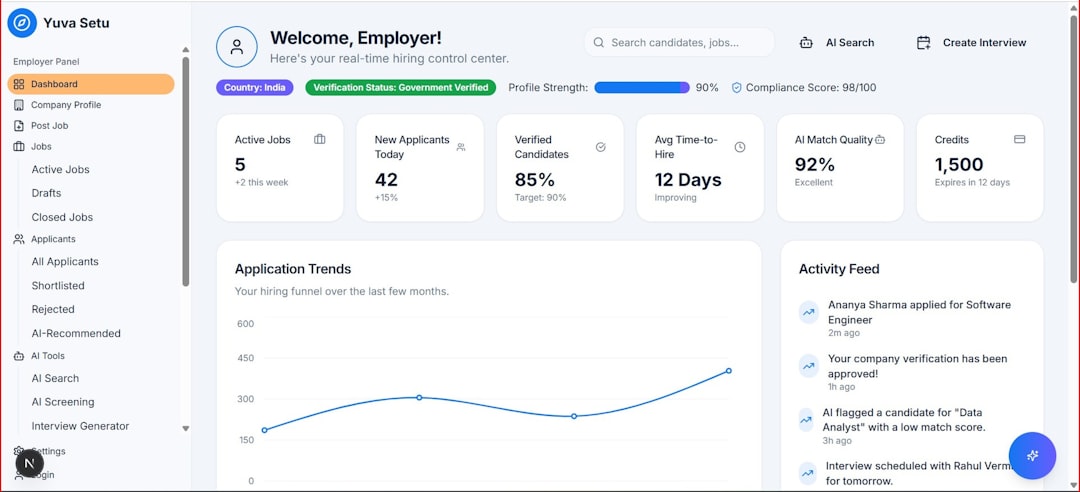
Building software used to require deep programming knowledge, long development cycles, and significant financial investment. Today, low-code app development platforms are changing the game. These tools empower entrepreneurs, small businesses, and even non-technical professionals to create powerful applications with minimal coding knowledge. Whether you’re launching a startup, streamlining internal workflows, or prototyping your next big idea, low-code tools can dramatically accelerate your journey from concept to launch.
TLDR: Low-code app platforms allow you to build web and mobile apps with minimal hand-coding using visual interfaces and drag-and-drop builders. Tools like OutSystems, Bubble, Appgyver, Mendix, Zoho Creator, and Microsoft Power Apps provide varying levels of customization, scalability, and automation. They are ideal for startups, enterprises, and citizen developers who need speed without sacrificing functionality. Choosing the right platform depends on your technical comfort level, scalability needs, and integration requirements.
Below, we explore six of the best low-code platforms available today, how they work, and what makes each one unique.
1. OutSystems
Best for: Enterprise-grade applications with scalability and security.
OutSystems is one of the most mature and powerful low-code platforms on the market. It’s designed to build complex, mission-critical applications for large organizations while minimizing manual coding effort.

Why it stands out:
- Visual development environment
- AI-assisted development guidance
- Strong security and compliance features
- Cloud, on-premises, and hybrid deployment
OutSystems allows developers to model data, workflows, and UI elements visually. The platform then generates optimized code in the background. While it’s ideal for enterprises, smaller teams may find it slightly expensive compared to other options.
Ideal users: Large companies, enterprise teams, IT departments.
2. Bubble
Best for: Startups and entrepreneurs building SaaS products or marketplaces.
Bubble has become a favorite among founders launching web apps without hiring a full development team. It offers a fully visual programming interface for designing UI, managing databases, and creating workflows.
Key features include:
- Drag-and-drop editor
- Built-in database management
- API integrations
- Responsive design tools
Bubble is especially powerful for building:
- Marketplaces
- Membership platforms
- Internal dashboards
- Custom CRMs
Compared to enterprise-focused tools, Bubble is more user-friendly for non-technical creators. However, high-scale apps may require performance optimization planning.
Ideal users: Founders, solopreneurs, MVP builders.
3. Appgyver (SAP Build Apps)
Best for: Cross-platform mobile and web applications.
Appgyver, now part of SAP Build Apps, offers an intuitive no-code and low-code experience that works seamlessly for mobile and web platforms. It provides professional-grade features without locking you into complex coding environments.

Main advantages:
- True drag-and-drop UI builder
- Visual logic flow editor
- REST API integration capabilities
- Cross-platform publishing
One highlight is its logic canvas, which allows users to visually connect workflows and conditional logic blocks without writing traditional code. This helps beginners grasp application logic in a visual way.
Ideal users: Designers, citizen developers, small businesses building internal apps.
4. Mendix
Best for: Collaborative enterprise app development.
Mendix combines low-code simplicity with serious enterprise functionality. It enables both business users and developers to collaborate on apps using shared visual tools.
Top features:
- Visual data modeling
- Multi-user collaboration tools
- Cloud-native architecture
- Strong DevOps support
Mendix emphasizes teamwork. Business stakeholders can directly contribute to application modeling while developers focus on complex logic and integrations. This bridges the communication gap between IT and business units.
Ideal users: Medium-to-large organizations undergoing digital transformation.
5. Zoho Creator
Best for: Fast business application deployment.
Zoho Creator is a versatile low-code app builder designed to create custom business applications quickly. It integrates seamlessly within the Zoho ecosystem, making it attractive for companies already using Zoho CRM, Books, or Projects.
Notable features:
- Prebuilt templates
- Workflow automation tools
- Mobile-ready apps
- AI-powered analytics
Users can create applications for:
- Inventory management
- Field service coordination
- HR onboarding
- Customer portals
While some scripting is possible for advanced customization, most functionality is available through simple configuration tools.
Ideal users: Small to mid-sized businesses looking for rapid deployment.
6. Microsoft Power Apps
Best for: Organizations using Microsoft products.
Microsoft Power Apps is part of the broader Microsoft Power Platform. It allows users to build apps that connect seamlessly with Microsoft 365, SharePoint, Excel, Teams, and Dynamics 365.

Core strengths:
- Deep Microsoft ecosystem integration
- AI Builder capabilities
- Hundreds of data connectors
- Strong governance controls
Power Apps excels at transforming spreadsheets or manual workflows into automated digital processes. While it may have a learning curve for complex logic customization, it’s incredibly powerful for internal business automation.
Ideal users: Enterprises and teams heavily invested in Microsoft tools.
Low-Code App Tools Comparison Chart
| Tool | Best For | Ease of Use | Scalability | Mobile Support |
|---|---|---|---|---|
| OutSystems | Enterprise apps | Medium | Very High | Yes |
| Bubble | Startups & SaaS | High | Medium | Web focused |
| Appgyver | Cross platform apps | High | Medium | Yes |
| Mendix | Enterprise collaboration | Medium | Very High | Yes |
| Zoho Creator | Business apps | Very High | Medium | Yes |
| Microsoft Power Apps | Microsoft environments | Medium | High | Yes |
How to Choose the Right Low-Code Tool
Before selecting a platform, consider these factors:
- Technical Skill Level: Are you a beginner or experienced developer?
- Integration Needs: Do you need to connect with existing systems?
- Budget: Enterprise platforms often come at a higher cost.
- Scalability: Will your application need to handle thousands of users?
- Customization: Do you anticipate needing advanced logic or custom scripting?
For early-stage startups, tools like Bubble or Appgyver may be more than sufficient. Larger companies undergoing digital transformation will likely benefit from enterprise platforms like OutSystems, Mendix, or Power Apps.
The Future of Low-Code Development
Low-code platforms are evolving rapidly. Artificial intelligence, automation, and predictive logic are increasingly embedded into app builders. Soon, users may be able to describe an app in natural language, and the system will generate a nearly complete application automatically.
Organizations adopting low-code tools benefit from:
- Faster development cycles
- Lower technical hiring costs
- Improved collaboration between teams
- Rapid experimentation and iteration
Far from replacing developers, low-code platforms enhance productivity by handling repetitive coding tasks. Professional developers can focus on architecture, security, and advanced custom features, while business users directly contribute to building solutions.
Final Thoughts
Low-code app development tools are democratizing software creation. What once required months of development and specialized skills can now be accomplished in days or weeks with intuitive visual builders. Whether you’re a startup founder, IT manager, or entrepreneur testing a new idea, there’s likely a low-code platform that fits your goals.
By understanding the strengths of each tool — and matching them with your project needs — you can accelerate innovation, reduce costs, and launch applications faster than ever before.
