

Podcasting has rapidly evolved from a niche hobby into a mainstream media channel, empowering creators to share stories, expertise, and entertainment with global audiences. Among the platforms that simplified podcast publishing, Anchor has stood out by offering an intuitive, all-in-one solution for recording, hosting, and distributing shows. For creators looking to launch efficiently and distribute widely, understanding Anchor’s most impactful features can make the difference between a stalled idea and a thriving podcast.
TLDR: Anchor provides an all-in-one platform that simplifies podcast creation and distribution. Its standout features include free hosting and distribution, built-in creation and editing tools, monetization options, and detailed analytics. These tools eliminate technical barriers and streamline the entire podcasting workflow. For new and experienced podcasters alike, Anchor offers a balanced combination of simplicity and scalability.
Below is a closer look at four essential Anchor podcast app features that make launching and distributing a show both accessible and efficient.
1. Free Hosting and Automatic Distribution
One of Anchor’s most impactful features is its free unlimited podcast hosting. Traditionally, podcasters needed separate services for hosting audio files and distributing them to directories like Apple Podcasts or Spotify. Anchor combines these essential services into one streamlined platform.
With Anchor, creators can:
- Upload unlimited episodes at no cost
- Automatically distribute content to major platforms
- Manage episodes from a centralized dashboard
- Update metadata across directories easily
This eliminates complex RSS feed management, which historically presented a technical barrier for beginners. Anchor automatically generates and maintains the RSS feed, ensuring that episodes appear across platforms without manual intervention.
Image not found in postmetaAutomatic distribution extends to platforms such as:
- Spotify
- Apple Podcasts
- Google Podcasts
- Amazon Music
- Castbox and other podcast directories
By removing hosting costs and simplifying publishing logistics, Anchor allows creators to focus more on content and less on backend configuration. For independent podcasters or small brands working within tight budgets, this feature alone significantly lowers entry barriers.
2. Built-In Creation and Editing Tools
Recording and editing can intimidate newcomers unfamiliar with audio production software. Anchor addresses this challenge by integrating user-friendly creation tools directly into the platform. Whether recording from a mobile device or desktop, creators can produce polished content without expensive third-party software.
Anchor’s creation suite includes:
- In-app audio recording
- Multi-segment episode builder
- Music and sound effects library
- Remote guest invitations
- Basic audio trimming and editing
The mobile-first functionality is particularly advantageous. A creator can record, edit, and publish an episode entirely from a smartphone. This flexibility supports spontaneous podcasting and opens opportunities for on-the-go interviews.
Another noteworthy capability is the ability to invite remote guests. Anchor allows hosts to generate a guest link, enabling participants to join from virtually any device. This reduces the need for complicated third-party conferencing tools and streamlines collaborative recording sessions.
While Anchor’s editing capabilities may not replace advanced digital audio workstations for professionals, they are more than sufficient for:
- Solo podcasts
- Interview-based shows
- Educational segments
- Short-form episodic content
For creators seeking speed and simplicity, this integrated toolset significantly accelerates production workflows.
3. Built-In Monetization Options
Monetization often represents a turning point in a podcast’s lifecycle. Anchor offers built-in tools that allow creators to generate revenue without requiring large audiences or complex sponsorship negotiations.
Two primary monetization features include:
- Listener Support: Fans can contribute recurring monthly payments.
- Sponsorship Integration: Anchor matches eligible podcasts with sponsors.
This system democratizes podcast monetization. Instead of waiting to secure independent brand deals, smaller creators can begin earning earlier in their journey. Anchor simplifies ad placement by allowing hosts to insert sponsorship segments directly into episodes.
Additionally, because Anchor integrates monetization within the publishing environment, podcasters avoid juggling multiple dashboards or third-party ad servers. Tracking and payout management remain centralized within the same ecosystem used for hosting and analytics.
Benefits of Anchor monetization include:
- Low barrier to entry
- No need for direct advertiser negotiation
- Automated sponsorship matching (where available)
- Simple ad segment insertion
Though revenue potential varies depending on audience size and geography, these features create a financial pathway that encourages long-term podcast growth.
4. Detailed Analytics and Audience Insights
Understanding audience behavior is essential for sustainable podcast growth. Anchor offers built-in analytics that help creators track performance, engagement, and listener demographics.
Key metric categories include:
- Total plays and downloads
- Audience size over time
- Episode performance comparisons
- Listener demographics (age, gender, location)
- Listening platform breakdown
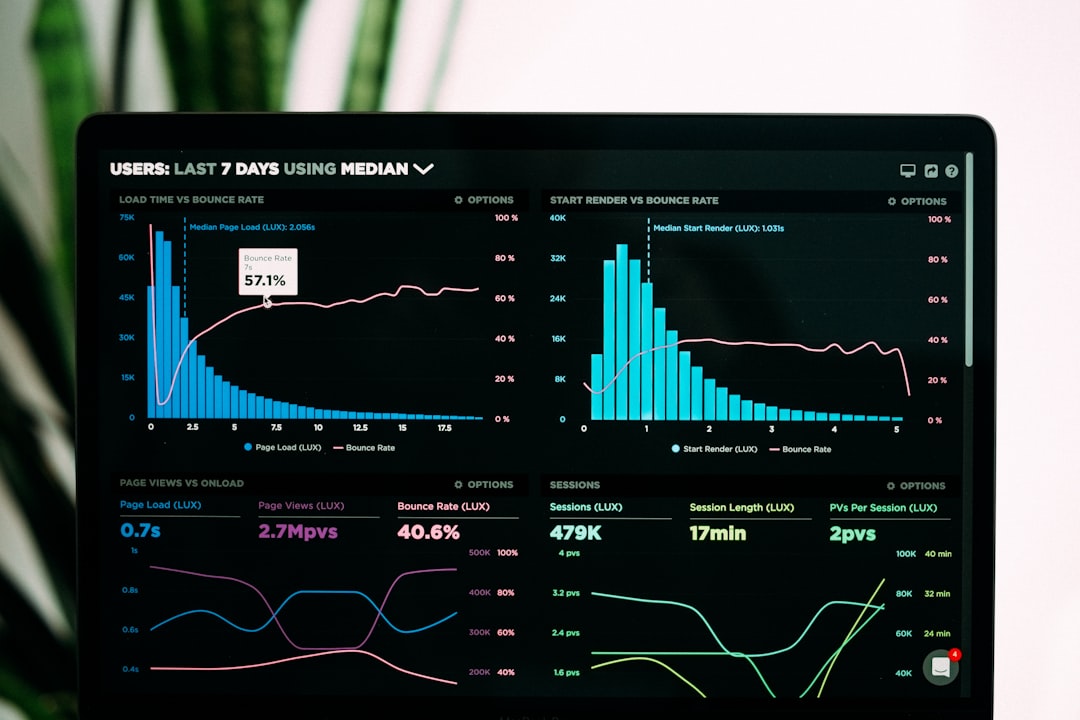
This data allows creators to identify trends, evaluate episode formats, and refine content strategies. For example, if analytics show higher listener retention in shorter episodes, the host may adjust episode length accordingly.
Geographical insights can also inform marketing strategies. If a significant listener base emerges in a specific country or region, targeted promotional efforts may increase audience engagement and sponsorship attractiveness.
The built-in nature of these analytics eliminates the need for external tracking tools. Everything remains accessible within one cohesive interface, aligning creation, monetization, and measurement into a unified system.
Feature Comparison Chart
| Feature | Primary Benefit | Best For | Ease of Use |
|---|---|---|---|
| Free Hosting and Distribution | Eliminates hosting costs and automates publishing | Beginners and budget-conscious creators | Very Easy |
| Creation and Editing Tools | Enables recording and editing in one platform | Mobile podcasters and solo creators | Easy |
| Monetization Options | Built-in listener support and sponsorship | Growing podcasts seeking revenue | Moderate |
| Analytics and Insights | Tracks audience growth and engagement trends | Strategic and data-driven creators | Easy |
Why These Features Matter for Launching and Distribution
Each of these four features addresses a specific challenge in the podcasting process:
- Technical setup is simplified through automated hosting and distribution.
- Production barriers are lowered via built-in recording tools.
- Revenue hurdles are eased with integrated monetization options.
- Growth uncertainty is reduced through accessible analytics.
Together, these capabilities create a cohesive ecosystem that supports both beginners launching their first show and experienced hosts scaling their audience.
Importantly, Anchor’s integrated design means that creators spend less time troubleshooting compatibility issues between services and more time focusing on storytelling, research, and audience engagement. For independent publishers, educators, marketers, and hobbyists alike, efficiency often determines consistency—and consistency drives growth.
Frequently Asked Questions (FAQ)
1. Is Anchor really free to use?
Yes, Anchor offers free podcast hosting with unlimited episode uploads. There are no upfront hosting fees, making it accessible for new podcasters.
2. Does Anchor distribute podcasts to Apple Podcasts and Spotify?
Anchor automatically distributes episodes to major streaming platforms, including Spotify and Apple Podcasts, once the podcast is submitted and approved.
3. Can beginners use Anchor without audio editing experience?
Yes, Anchor’s built-in recording and editing tools are designed for ease of use. While advanced users may prefer external software, beginners can comfortably produce episodes within the app.
4. How does monetization work on Anchor?
Anchor provides listener support options and sponsorship opportunities. Eligible creators can insert ads directly into episodes and manage revenue through the platform.
5. Are Anchor analytics sufficient for growing a podcast?
For many podcasters, Anchor’s analytics provide comprehensive insights into audience size, demographics, and engagement. Advanced marketers may supplement this with additional promotional tracking tools.
6. Can podcasts recorded elsewhere be uploaded to Anchor?
Yes, creators can upload externally recorded and edited audio files, making Anchor compatible with professional production workflows.
By combining hosting, creation tools, monetization, and analytics within a single platform, Anchor significantly simplifies the journey from concept to distribution. For creators ready to launch a show without becoming overwhelmed by technical complexities, these four features provide a solid and scalable foundation.
